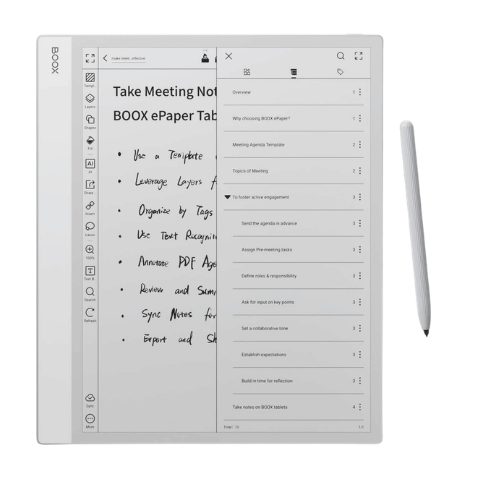
Best E-Ink Tablets for Travelers in 2026: Honest Picks for Flights, Nomads & On-the-Go Reading
E-ink tablets have become increasingly popular with travelers, remote workers, and people trying to spend less time staring at bright screens. They combine the feel of reading or writing on paper with the convenience of digital storage, long battery life, and lightweight designs that are easy to carry while traveling.
These devices have evolved far beyond basic e-readers in recent years. Some are built for distraction-free writing and travel journaling, others focus on reading and PDF annotation, while newer models now run full Android apps for digital nomad workflows. There are compact waterproof options for beach reading, larger models designed for document-heavy work, and even color e-ink tablets that handle maps, highlights, and sketches surprisingly well.
The difficult part is figuring out which one actually makes sense for travel.
This guide breaks down the best e-ink tablets for travelers in 2026, including the models that work best for flights, remote work, travel journaling, and long trips where battery life and portability matter more than raw performance.
Contents
- 1 Why Travelers Are Switching to E-Ink Tablets
- 2 Quick Pick: Which E-Ink Tablet Should You Buy?
- 3 The 8 Best E-Ink Tablets for Travelers in 2026
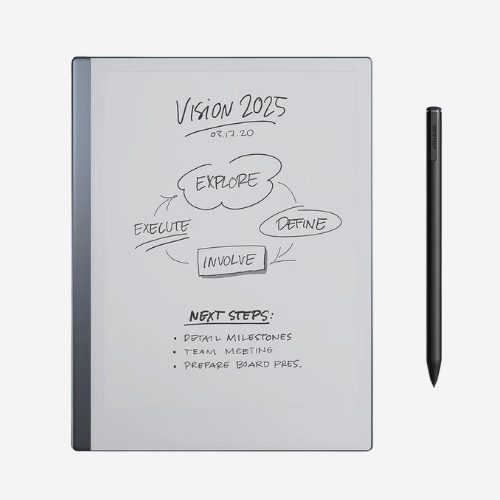
- 3.1 1. reMarkable Paper Pro – Best for Travel Writers and Creatives
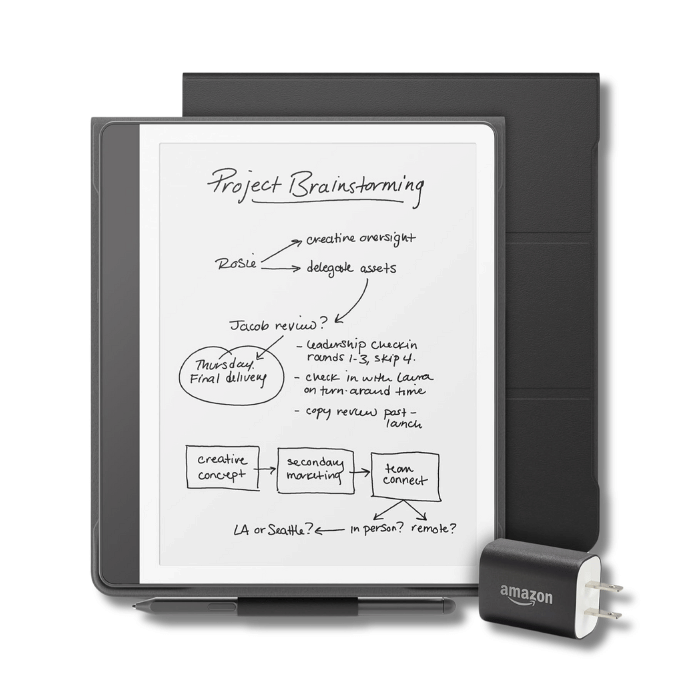
- 3.2 2. Kindle Scribe 2024 – Best for Travelers in the Amazon Ecosystem
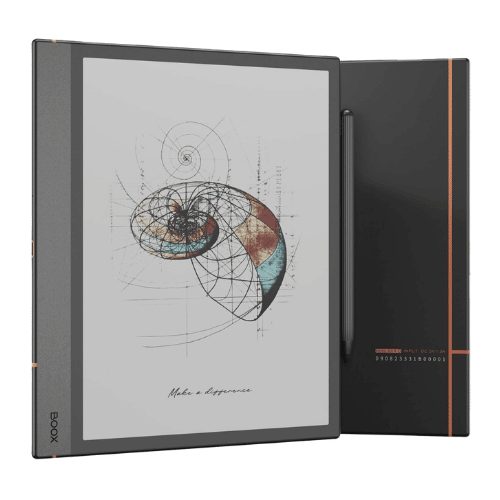
- 3.3 3. Boox Note Air4 C – Best for Digital Nomads
- 3.4 4. Kobo Libra Colour – Best for Casual Travelers and Beach Reading
- 3.5 5. Supernote A6 X2 – Best for Backpackers and Travel Journalers
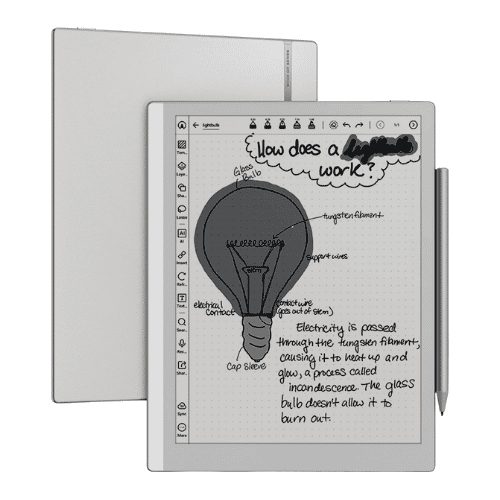
- 3.6 6. reMarkable 2 Paper Tablet– Best Budget E-Ink Tablet for Traveling Writers
- 3.7 7. Boox Go 10.3 – Best Budget Android E-Ink Tablet for Travel
- 3.8 8. Boox Note Max – Best for Business Travelers with Heavy Document Workloads
- 4 E-Ink Tablet vs iPad for Travel: An Honest Comparison
Why Travelers Are Switching to E-Ink Tablets
For travel, e-ink tablets solve a few problems regular tablets never really fixed.
They last weeks instead of hours. The screens stay readable in direct sunlight. Reading during long flights feels easier on the eyes than staring at a bright iPad screen for hours. And unlike regular tablets, most e-ink devices are designed for focus rather than constant notifications and distractions.
That makes them especially useful for:
- Long-haul flights where charging ports are unreliable
- Travel journaling and handwritten note-taking on the road
- Reading by the pool or beach without screen glare
- Digital nomad work involving PDFs and long documents
- Travelers trying to pack lighter and charge less often
They are still not replacements for laptops or iPads. Streaming, gaming, multitasking, and heavy app use remain much better on traditional tablets. But for reading and writing while traveling, e-ink devices genuinely fit travel life better than most people expect.
Quick Pick: Which E-Ink Tablet Should You Buy?
| Device | Weight | Screen | Fits Small Sling Bag | Waterproof | Battery |
|---|---|---|---|---|---|
| Kobo Libra Colour | 199g | 7″ | Yes | Yes (IPX8) | ~2 weeks |
| Supernote A6 X2 | 235g | 7.8″ | Yes | No | Several weeks |
| reMarkable 2 | 403g | 10.3″ | Tight | No | Several weeks |
| Boox Go 10.3 | 390g | 10.3″ | Tight | No | Several weeks |
| Boox Note Air4 C | 420g | 10.3″ | Tight | No | Several weeks |
| Kindle Scribe 2024 | 433g | 11″ | No | No | Several weeks |
| reMarkable Paper Pro | 446g | 11.8″ | No | No | Several weeks |
| Boox Note Max | 580g | 13.3″ | No | No | Several weeks |
For carry-on only travelers, size and weight matter more than specs. The Kobo Libra Colour at 199g is pocketable. The Boox Note Max at 580g will feel heavy in a day bag after a few hours of walking through a city.
The 8 Best E-Ink Tablets for Travelers in 2026
1. reMarkable Paper Pro – Best for Travel Writers and Creatives
The reMarkable Paper Pro is the most premium writing device available on an e-ink screen in 2026, and for travelers who write seriously like journalists, bloggers, long-trip journalers it is genuinely hard to argue against.
The Gallery 3 color technology uses actual colored ink particles rather than a filter overlay, which gives it noticeably richer color than the Kaleido panels most competitors use. Combined with the textured screen surface that creates real pen resistance, it delivers the closest thing to writing on paper that currently exists in this category.
Who it’s for: Travel writers, creative professionals, and serious journalers who want a distraction-free writing device and are willing to pay for the best version of that experience.
Why travelers like it:
- Gallery 3 color display– better color saturation than Kaleido 3 competitors, useful for sketching maps, color-coded notes, and travel illustrations
- Textured screen surface gives the stylus genuine resistance – writing for long sessions on trains or in airport lounges feels natural rather than slippery
- No blue light on overnight international flights, reading and writing on this screen is noticeably less disruptive to sleep than a bright iPad
- Type Folio keyboard cover turns it into a compact writing setup for travelers who also type
- Connect subscription syncs everything to Google Drive, Dropbox, and OneDrive notes taken in Bangkok show up on your laptop in London
- Completely distraction-free OS – no app store, no notifications, no feed pulling your attention
What to consider before buying: The stylus (Marker Plus) is sold separately at $129, which adds considerably to an already expensive device, budget the full cost before deciding. The closed ecosystem means no third-party apps whatsoever: no Kindle, no Notion, no email. For travelers who need multiple apps on one device, this is genuinely the wrong choice. But for travelers who want one dedicated writing device that does nothing else, that same closed ecosystem is exactly the point.
Best for: Travel writing, serious journaling, distraction-free creative work on long trips | Screen: 11.8″ Gallery 3 color | Battery: Several weeks
2. Kindle Scribe 2024 – Best for Travelers in the Amazon Ecosystem
The Kindle Scribe 2024 is what the original 2022 version should have been. Amazon replaced the uneven side bezel with a cleaner uniform design, expanded the display to 11 inches, and improved the writing experience with a textured screen surface that feels noticeably better for handwritten notes and annotations.
Who it’s for: Travelers who load up Kindle books before every flight and want to write notes and annotations directly alongside what they are reading.
Why travelers like it:
- Margin annotation directly inside Kindle books – write notes next to passages exactly like marking up a physical book, which no other e-ink device offers
- AI handwriting tools convert messy notes to searchable text and can summarize what you have written genuinely useful for travelers who take lots of notes and want to find things later
- Front light handles hotel room and airplane cabin reading comfortably in dim conditions
- Seamless Kindle library sync loading books before a long flight takes seconds, leaving more room in your travel backpack for other essentials
- Textured screen improved the writing experience significantly over the original Scribe
What to consider before buying: The Scribe remains primarily a reading device that happens to write, rather than a writing device that happens to read. PDF annotation is functional but not as deep or flexible as what Boox devices offer through NeoReader. If annotating your own documents is more important than annotating Kindle books, the Boox Note Air4 C handles that better. The Amazon ecosystem also means content stays largely within Amazon less flexible for travelers who use multiple reading platforms.
Best for: Kindle readers who want handwriting capability, flight reading with active annotation, hotel room note-taking Screen: 11″ E-Ink | Battery: Several weeks
3. Boox Note Air4 C – Best for Digital Nomads
The Boox Note Air4 C is the only e-ink tablet that runs full Android with Google Play access, and for digital nomads that single fact changes everything. Install Notion, Obsidian, the Kindle app, email, Slack whatever your remote work requires and it all works on a screen that causes far less eye strain than a laptop after hours of reading and document review. Add the Kaleido 3 color display and NeoReader, widely considered the best PDF annotation tool in the e-ink category, and you have the most capable working device in this space.
Who it’s for: Remote workers and digital nomads who need app flexibility, PDF annotation, and cloud sync on a device that lasts weeks between charges.
Why travelers like it:
- Full Android OS with Google Play– Notion, Obsidian, email, and most productivity apps install and run normally
- NeoReader PDF tools are the most advanced in the category- split view, custom annotation layers, handwriting search inside documents
- Syncs with Google Drive and Dropbox – documents accessible anywhere without cables, making it ideal for digital nomad travel gear setups
- Kaleido 3 color display works well for color-coded notes, highlighted PDFs, and charts
- BSR refresh technology makes scrolling noticeably smoother than older e-ink devices
- After long laptop sessions, many users find switching to the e-ink screen for document review significantly less tiring on the eyes
What to consider before buying: Setting up Android on a Boox device for the first time requires patience first-time users frequently find the initial configuration process confusing, and some apps need tweaking to display correctly on an e-ink screen. The Kaleido 3 color is functional rather than vivid, it looks more like a tint than rich color, which works fine for highlights and charts but disappoints anyone expecting iPad-quality color.
Best for: Digital nomad work, PDF annotation, multi-app productivity, remote work on the road Screen: 10.3″ Kaleido 3 color | Battery: Several weeks
4. Kobo Libra Colour – Best for Casual Travelers and Beach Reading
The Kobo Libra Colour is 199 grams and fits in a coat pocket. It is waterproof to IPX8. It has physical page-turn buttons. It is the most affordable option. For travelers who mainly want a lightweight, worry-free reading device, beach days in Bali, poolside afternoons in Portugal, airport lounges with a long wait ahead, it is the best recommendation.
Who it’s for: Casual travelers and avid readers who want something light, small, durable, and waterproof for reading during trips.
Why travelers like it:
- 199g – lightest device, genuinely pocketable in a jacket or shorts pocket
- IPX8 waterproof poolside splashes, beach humidity, and unexpected rain are not a concern
- Physical page-turn buttons make one-handed reading on a flight, train, or hammock comfortable for hours without tapping the screen
- Native Libby integration lets you borrow library books directly on the device – perfect to pair with a lightweight travel watch for long reading days
- Kaleido 3 color shows book covers and reading highlights in color, which makes browsing a reading list more visual
- Two weeks of battery handles most trips without needing a charge
What to consider before buying: Note-taking is basic. With the optional SleepCover case you get a stylus and simple annotation, but this is fundamentally a reading device rather than a writing one. For travelers who also want to take handwritten notes, the reMarkable or Supernote will serve that need far better. The Kaleido 3 color is also better suited to covers and highlights than detailed images or illustrations.
Best for: Beach reading, poolside use, carry-on light travel, airport and flight reading, library readers Screen: 7″ Kaleido 3 color | Waterproof: Yes (IPX8) | Battery: ~2 weeks
5. Supernote A6 X2 – Best for Backpackers and Travel Journalers
The Supernote A6 X2 is of 7.8 inches and 235 grams, it fits in a jacket pocket. The ceramic-tipped stylus requires no charging and no batteries. The note-taking structure is genuinely thoughtful- pages can be tagged, linked, and searched by handwriting. And the build quality is noticeably solid for its size, the kind of device that survives months of hostel bags, train journeys, and daily use without showing wear.
Who it’s for: Backpackers, long-trip travelers, and anyone who journals seriously and wants the most compact capable writing device available.
Why travelers like it:
- 235g and 7.8 inches – fits in a jacket pocket, barely noticeable in a travel backpack or sling bag
- Ceramic-tipped stylus needs no charging and no batteries, one less cable, one less thing to manage while traveling
- Handwriting search, page tagging, and linked notes make finding things easy even after months of entries
- Active development team with a reputation for responding to user feedback and shipping consistent updates
- Works completely offline once set up, no cloud dependency needed while traveling in areas with poor connectivity
What to consider before buying: The base A6 X2 has no front light, which makes reading in dim environments genuinely difficult airplane cabins without overhead lighting, hostel dorms, and late hotel nights are all situations where this becomes a real limitation. The A5 X2 adds a front light but in a larger body. There are also no third-party apps, and for a 7.8-inch device the price reflects software quality and build rather than screen size alone.
Best for: Travel journaling, backpacker note-taking, long-trip writing, minimalist daily writing device Screen: 7.8″ E-Ink | Battery: Several weeks
6. reMarkable 2 Paper Tablet– Best Budget E-Ink Tablet for Traveling Writers
The reMarkable 2 arrived in 2020 and has not changed much since then. It has no front light, no color display, and a relatively limited software feature set compared to what the category offers in 2026. What it still has and what keeps it relevant is one of the best handwriting experiences in the category, delivered by Wacom EMR pen technology that produces precise, wobble-free writing at a price nearly half the Paper Pro. For traveling writers and students on a tighter budget who want genuinely good handwriting quality, it remains a sensible choice.
Who it’s for: Budget-conscious writers, students, and travelers who want a focused writing device and do not need color, a front light, or app flexibility.
Why travelers like it:
- Best handwriting experience – Wacom EMR technology delivers precision that cheaper devices do not replicate
- Multi-week battery handles entire trips without charging
- Completely distraction-free software- the same focused writing environment as the Paper Pro
- Recent firmware updates improved handwriting-to-text conversion and cloud sync
- At 403g slightly lighter than the Paper Pro, manageable in most travel bags
- Slim, well-made design that has held up well for a five-year-old device
What to consider before buying: The lack of a front light is genuinely limiting for travelers reading in dim airplane cabins, hotel rooms with poor lighting, or hostel dorms. In those environments, you need an external reading light or to rely on overhead lighting. No color means maps, illustrations, and color-coded notes all display in black and white. The software ecosystem has received fewer updates than competitors if cutting-edge features matter, the reMarkable Paper Pro or a Boox device will feel more current.
Best for: Budget travel writing, student travel, distraction-free note-taking, travelers who prioritize handwriting quality over features Screen: 10.3″ E-Ink | Battery: Several weeks
7. Boox Go 10.3 – Best Budget Android E-Ink Tablet for Travel

The Boox Go 10.3 offers most of what the Note Air4 C provides at a lower price full Android with Google Play, the same NeoReader PDF tools, and a sharp 300dpi display packaged in an impressively thin 4.6mm body that barely adds bulk to a travel bag. The stylus and cover are included in the box, which matters at this price point since competitors often charge extra for both. For travelers who want Android flexibility on an e-ink screen without paying Note Air4 C prices, it delivers most of what they need.
Who it’s for: Budget-conscious travelers and digital nomads who want Android app flexibility on an e-ink device without the premium pricing of the Note Air4 C.
Why travelers like it:
- Full Android with Google Play, email, productivity apps, and most tools work normally
- Stylus and cover included in the box at no extra cost
- 4.6mm thin – one of the slimmest e-ink tablets available, adds minimal bulk to a day bag
- Same NeoReader PDF annotation tools as premium Boox devices
- Sharp 300dpi display at a lower price point than the Note series
What to consider before buying: One frustrating design quirk that matters specifically for travelers: the stylus attaches magnetically to the side of the device but detaches easily with movement. For travelers dropping it into a bag regularly, the stylus will eventually go missing. Storing them separately is the practical solution. No color display, and the Android setup still requires patience for first-time users.
Best for: Budget digital nomad work, Android e-ink on a tighter budget, travelers who want app flexibility without premium pricing Screen: 10.3″ E-Ink | Battery: Several weeks
8. Boox Note Max – Best for Business Travelers with Heavy Document Workloads

The Boox Note Max has a 13.3-inch Carta 1300 display at 300dpi large enough to show a standard A4 document at full size without any zooming. For professionals who regularly review long contracts, research papers, legal documents, or detailed reports while traveling, that size difference changes document review from a frustrating exercise in scrolling and zooming to something that actually resembles working with paper. It runs full Android with Google Play and includes the stylus and cover in the box.
Who it’s for: Business travelers, lawyers, researchers, and consultants who review large-format documents on the road and need a screen big enough to show them at full size.
Why travelers like it:
- 13.3″ Carta 1300 at 300dpi shows A4 documents at full size, eliminates constant zooming and scrolling
- Full Android with Google Play all the same app flexibility as other Boox devices
- NeoReader PDF tools at their best on a large screen split view, annotation layers, handwriting search
- Stylus and cover included no hidden extra costs despite the premium price
What to consider before buying: At 580g and 13.3 inches, this is not a device for light travelers. It will feel heavy in a day bag after a few hours of walking through a city, and it does not fit in sling bags or small carry bags. It belongs in a laptop bag or professional travel setup. For anyone traveling light or doing backpacking-style travel, the 10-inch Boox options do most of the same work at much lower weight.
Best for: Business travel, heavy PDF and document work, research professionals, lawyers and consultants traveling with full laptop setups Screen: 13.3″ Carta 1300 | Battery: Several weeks

E-Ink Tablet vs iPad for Travel: An Honest Comparison
| E-Ink Tablet | iPad | |
|---|---|---|
| Battery life | Several weeks | 10–12 hours |
| Sunlight readability | Excellent | Poor |
| Eye strain over hours | Low | Higher |
| Blue light (overnight flights) | None | Yes |
| Average weight | 200–450g | 460–680g |
| Video streaming | Not suitable | Excellent |
| App availability | Limited (Boox = full Android) | Full |
| Distraction-free | Yes | No |
| Price range | $219–$689 | $329–$1,099 |
An e-ink tablet does not replace an iPad. It does specific things better: reading for long periods, handwriting, outdoor use in direct sunlight, overnight flights, and going weeks without charging. For video, apps, and general browsing, an iPad is the better tool.
Many travelers carry both. For travelers who mainly read and write on trips, an e-ink tablet alone handles everything they need.
Final Thoughts
E-ink tablets are not for everyone, and they are not trying to be. If you need a device for streaming, social media, or general app use while traveling, an iPad will serve you better.
But for travelers who read a lot, write seriously, or work with documents on the road, very few devices come close to what a good e-ink tablet offers. A screen that works in sunlight, a battery that lasts weeks, and nothing competing for your attention — that combination is genuinely hard to find elsewhere.
For most travelers, the Kobo Libra Colour is the easiest starting point. Light, affordable, waterproof, and does the main job of reading extremely well. If writing matters more, the reMarkable Paper Pro or reMarkable 2 are worth the investment. And if you need to work while traveling, the Boox Note Air4 C is the most capable option available.
Pick the one that matches how you actually travel, not the one with the most features.
If you are traveling with family, also check our guide to the best travel diaper bag and best cheap travel stroller to complete your travel gear setup.
Do e-ink tablets work in sunlight?
Yes, this is one of their practical advantages over regular tablets. E-ink screens reflect ambient light like paper, making them easier to read in bright sunlight. Regular tablets wash out in direct sunlight. For beach reading, outdoor cafés, or window seats on flights, e-ink screens are noticeably more comfortable.
How long does an e-ink tablet battery last?
Most last several weeks with regular use. The display only consumes power when the screen changes. The Kobo Libra Colour is rated for about two weeks. For a two-week trip, most of these devices can leave the charger at home.
Is E Ink really better for eyes?
For reading over long periods, yes. E-ink screens reflect light like paper instead of projecting it directly at your eyes, which reduces the strain that comes from staring at a backlit screen for hours. Most people who read on e-ink for long flights or extended sessions notice their eyes feel less tired compared to reading on an iPad or phone.
What are the downsides of E Ink?
The slow refresh rate makes web browsing, video, and fast-moving apps frustrating. Color e-ink screens still look muted compared to regular tablets, and most devices have limited app support. Despite the high prices, these tablets are designed mainly for reading and writing rather than full tablet-style performance.
Why Are E-Ink Tablets So Expensive?
E-ink tablets are made in much smaller numbers than regular tablets, which keeps prices high. The paper-like screens, stylus technology, and specialized writing features also cost more to develop. That is why many e-ink tablets cost as much as an iPad even though they focus mainly on reading and writing.